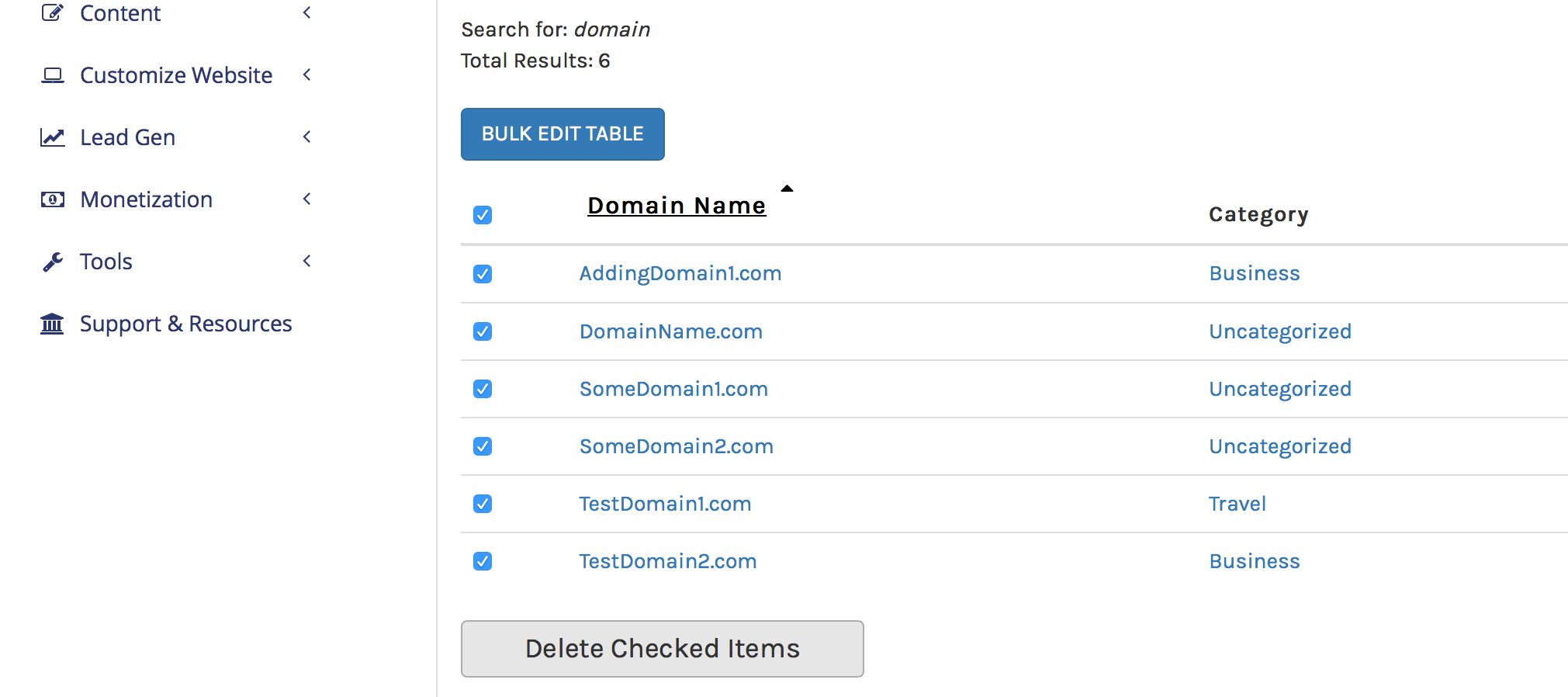
Deleting Domains In Bulk
Deleting domains in bulk is a very fast way to remove large groups of domains that you may have decided to allow to drop.
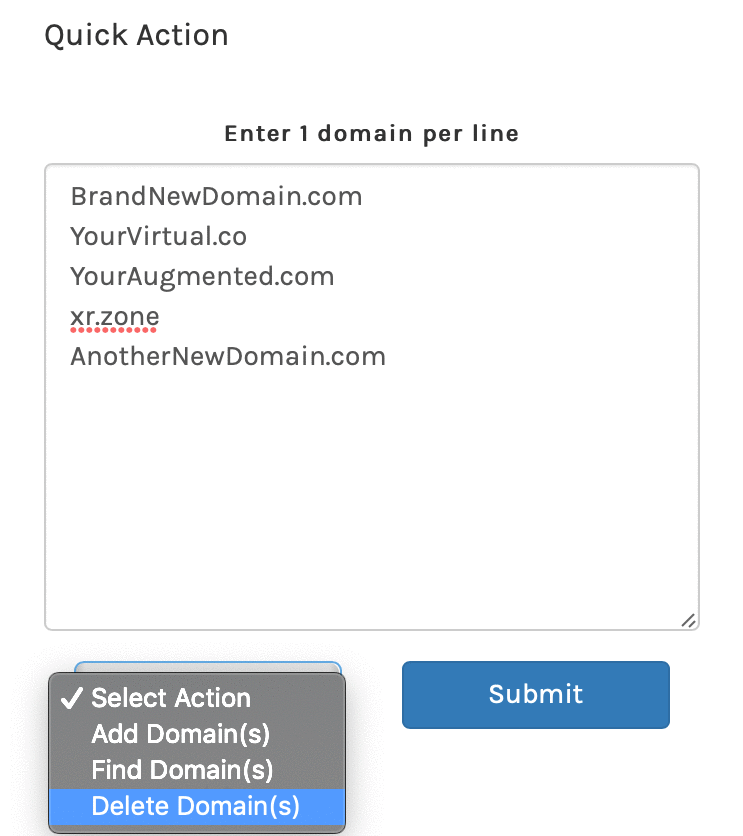
2. Enter the domains one line at a time in the Quick Action field of the Dashboard. Make sure to spell the domains correctly, case is not important.
Select “Delete Domains” from the drop-down options, and then select “Submit”.
3. You can delete ALL domains using the purge tool shown in the image below:
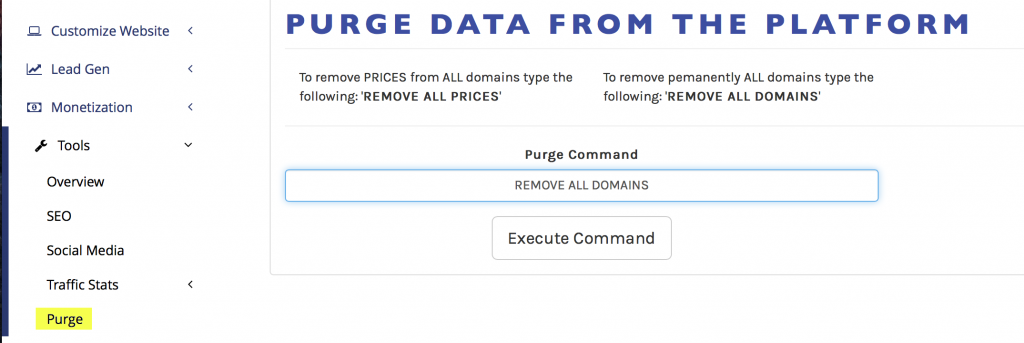
In all scenarios, you will need to confirm domains before they are completely removed from the platform.